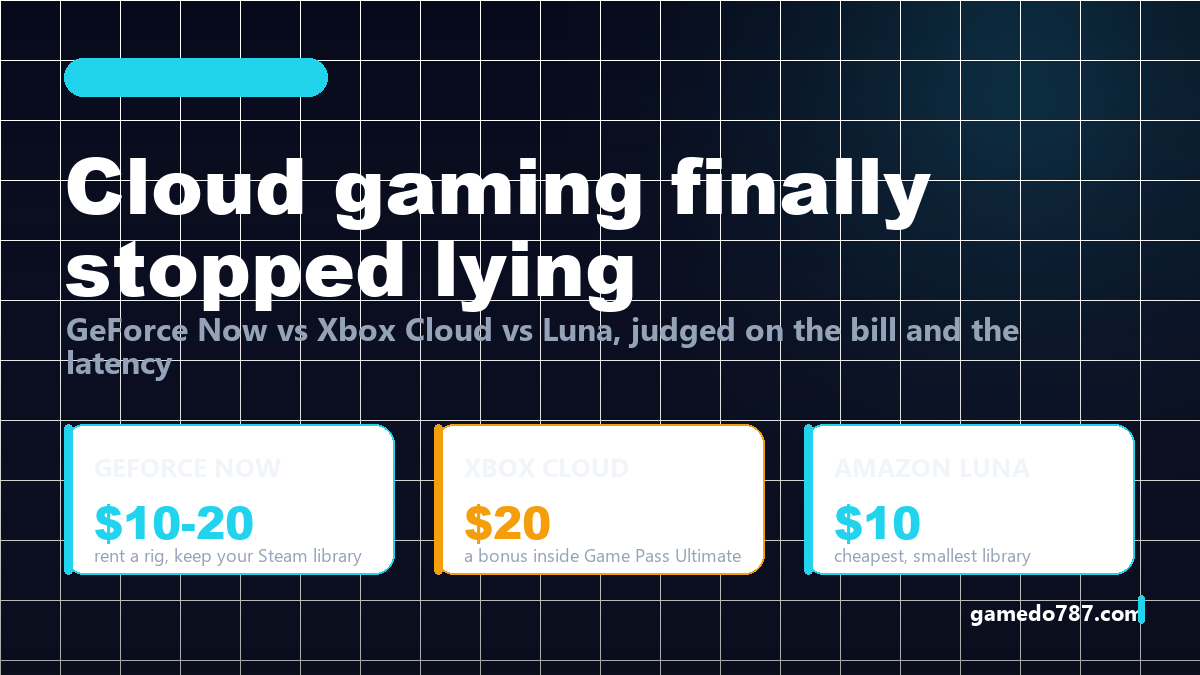
Cloud gaming in 2026 is finally good enough to replace a console for some people — but only some. GeForce Now rents you a powerful PC and lets you keep the games you already own, Xbox Cloud Gaming throws streaming in with a subscription you probably want anyway, and Amazon Luna undercuts both on price while asking you to start your library from zero. The right pick depends on two numbers nobody puts on the marketing page: the real monthly bill across twelve months, and the latency your connection can actually hold at 8pm on a Saturday.
What actually changed in 2026
For years cloud gaming demos were impressive and daily use was miserable. Three things changed that, and none of them were the marketing.
First, the codecs got boring. Hardware AV1 decoding is now standard on mid-range phones, laptops and TVs, which means the stream arrives compressed more efficiently and the client does less work. Sessions that used to stutter on a three-year-old laptop now hold steady because the machine is only decoding video, not rendering geometry.
Second, the queue problem mostly disappeared on paid tiers. Free tiers still queue — that is the point of a free tier — but a paying subscriber on any of the three services now expects to press play and be in a game within twenty seconds. That was not true two years ago.
Third, and this is the one that matters commercially: publishers stopped treating streaming as a separate product. Games now ship with streaming support as a checkbox, and the streaming services compete on hardware and price instead of on exclusive deals. That is a healthier market, and it is why this comparison is worth writing now instead of dismissing the whole category.
How these three actually differ
The single most useful way to think about it: GeForce Now sells you hardware, Xbox Cloud sells you a catalogue, Luna sells you channels. Everything else follows from that.
GeForce Now: rent a PC, keep your library
NVIDIA’s service is the only mainstream option where you launch games you already bought on Steam, Epic or GOG. Nothing is included with the subscription except the machine — if your library is empty, GeForce Now is worthless to you, and that is the honest framing NVIDIA avoids.
The practical upside is enormous for anyone with a decade of Steam purchases and a laptop that cannot run them. You install nothing; the session boots a virtual rig, signs into your store, and streams the result. Save files sync through the store, so progress carries over to your desktop later.
The practical downside is friction. Not every game is supported, publishers can pull titles, and each session has to authenticate against your store at least occasionally. Sessions also end — there is a time limit per sitting on every tier, longer on the expensive ones. You are renting a machine by the hour in spirit even when the bill is monthly.
| Tier shape | Roughly | Who it fits | The catch |
|---|---|---|---|
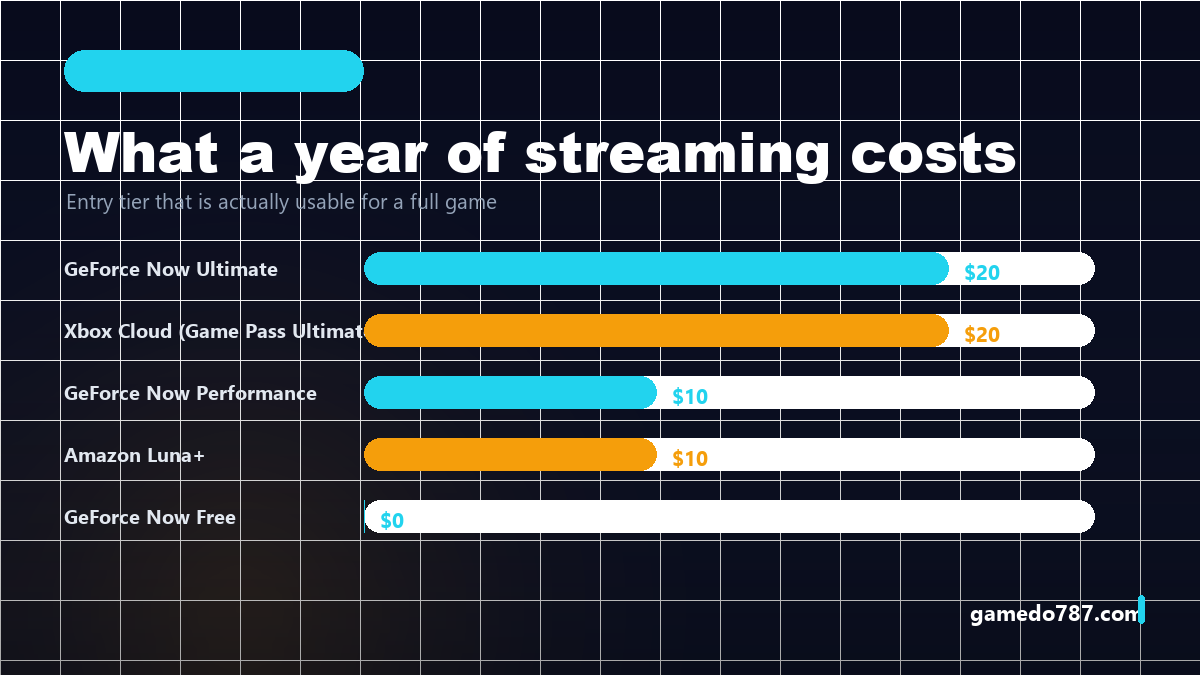
| Free | $0 | Testing whether your connection is good enough | Queues, short sessions, weakest hardware |
| Performance | ~$10/mo | 1080p players on a laptop or TV stick | No RTX-class visuals, still queues at peak |
| Ultimate | ~$20/mo | 1440p/4K players who want high frame rates | Costs as much as a console every year |
Prices vary by region and by billing length, so treat the numbers as order-of-magnitude. The structural point holds everywhere: you are paying for a GPU you do not own, and the games are yours.
Xbox Cloud Gaming: the catalogue is the product
Xbox Cloud Gaming is not really sold separately anymore — it is a feature inside Game Pass Ultimate, which is why it keeps winning the “which one should I try first” argument. If you already pay for Game Pass for your console or PC, streaming costs you nothing extra and instantly turns a phone, a smart TV or a work laptop into an Xbox.
What you get is the Game Pass library streamed, plus the ability to stream games you own in supported titles. What you do not get is Steam. If your library lives on Steam, this service cannot see it, full stop.
Quality-wise it targets 1080p as the comfortable default and has been expanding higher-resolution support on select devices. The honest assessment: it is the best “second screen” service and the weakest “primary rig replacement” service. Playing a 60-hour RPG on a phone at 1080p over Wi-Fi is fine. Playing a competitive shooter on it against people on wired desktops is not.
The other advantage is boring and underrated: it is the only one of the three that also gives you a pile of games on the console you already own. You are not choosing between streaming and local play; you are buying one subscription that covers both.
Amazon Luna: cheapest entry, smallest reason to stay
Luna’s model is channels — you subscribe to a bundle of games rather than to hardware or to one big catalogue, and you can layer publisher channels like Ubisoft’s on top. The base channel is the cheapest usable cloud subscription of the three, and Prime members get rotating free titles.
The problem is library gravity. Luna asks you to start over: the games you own elsewhere do not come with you, and the catalogue is thinner than Game Pass. For a household that wants a cheap way to play a handful of family-friendly and racing titles on the living-room TV, that is a genuinely good deal. For anyone with an existing library, it is a hard sell.
Where Luna wins outright is friction: the app is on more TVs out of the box, the controller pairing flow is the least annoying of the three, and the price makes “let’s just try it for a month” an easy decision.
Head to head
| GeForce Now | Xbox Cloud Gaming | Amazon Luna | |
|---|---|---|---|
| What you are buying | A remote PC | A catalogue | Channels of games |
| Existing libraries | Steam, Epic, GOG — yes | Game Pass + supported owned titles | No |
| Typical entry price | Free tier, ~$10 for usable | ~$20, bundled with Game Pass | ~$10 |
| Best case resolution | Up to 4K on top tier | 1080p baseline, higher on select devices | 1080p |
| Session limits | Yes, by tier | Generous, queue-based at peak | Yes |
| Best device support | PC, Mac, phone, TV, handheld | Xbox app everywhere, TVs, phones | Fire TV, smart TVs, phones |
| Killer weakness | Empty library = useless | No Steam, capped visuals | Thin catalogue |
The latency math nobody explains properly
Latency is not one number. It is the sum of encode time on the server, network round trip, decode time on your device, and your display’s own lag. Marketing pages quote a single round-trip figure; your hands feel the total.
As a working rule: under 35 ms of total added latency feels native for most games. Between 35 and 60 ms, single-player games are fine and shooters start to feel “floaty”. Above about 80 ms, melee timing and platforming get genuinely hard, and fighting games become unplayable.
What you can control is the second and third term. Ethernet instead of Wi-Fi removes jitter more than it removes average delay — and jitter, not average, is what makes a stream feel bad. A stable 45 ms beats an erratic 25 ms every time. If you cannot run a cable, 5 GHz on the same room as the router is the next best thing; 2.4 GHz is not a serious option for streaming.
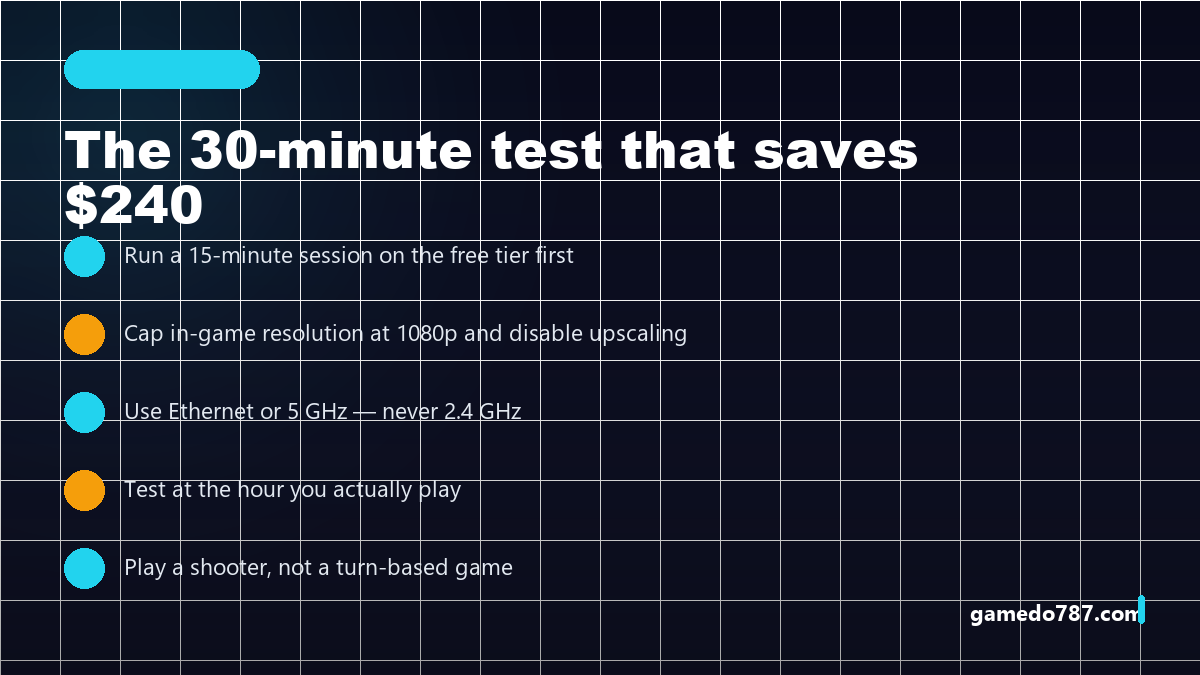
This is also why the free tier is worth an evening. Run it before you pay. If the free tier is a slideshow at 8pm, the $20 tier will not save you — the bottleneck is your connection or your ISP’s evening congestion, not the server.
Which one should you pick
Four profiles, four answers. Pick the row that describes you and stop reading the marketing pages.
You have 200 games on Steam and a laptop that struggles
GeForce Now, Performance tier. This is the single clearest use case in the entire category: you already own the games, you just need the GPU. Start free, upgrade only if 1080p is not enough.
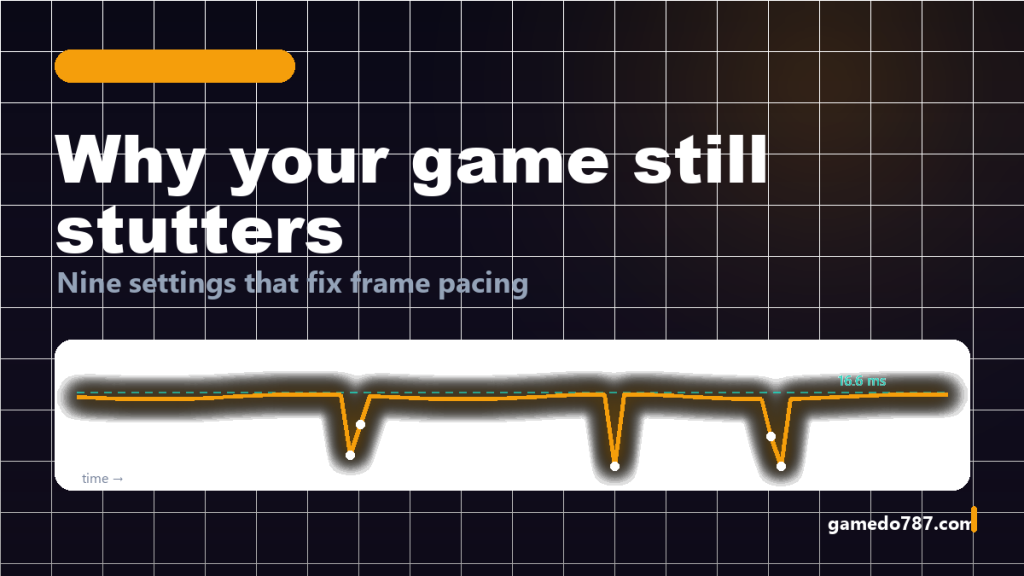
If you want to see how much of your stutter is hardware versus settings, our breakdown of the nine settings that actually fix frame pacing is worth reading before you spend anything — some “I need better hardware” problems are a frame cap and a shader cache away from solved.
You own an Xbox or already pay for Game Pass
Xbox Cloud Gaming, and it costs you nothing extra. Streaming is the free bonus inside a subscription you are buying anyway, which makes the value calculation trivial. Do not buy a separate streaming subscription on top.
You want a cheap TV console for the family room
Amazon Luna. A controller, a Fire TV stick and the base channel is the lowest-friction way to get a kid playing racing games on the big screen without buying hardware. Accept that the catalogue is what it is.
You want one service for everything
There is not one, and that is the honest answer in 2026. The people best served by cloud gaming run two subscriptions: one for the catalogue (Game Pass) and one for their own library (GeForce Now), and cancel whichever goes unused for a month. Subscriptions here are monthly for a reason — treat them that way.
The library problem, and why it decides everything
Cloud gaming’s dirty secret is that the technology stopped being the hard part. The hard part is that your games are scattered across Steam, Epic, GOG, the Microsoft Store, Ubisoft Connect and a console account, and each service can only see a slice of that.
So before comparing frame rates, count what you actually own and where it lives. If 80% of your library is on Steam, GeForce Now is the only service that monetises it. If your library is mostly console Game Pass titles, Xbox Cloud is free at the margin. If you own almost nothing and just want to play, Luna’s channels are the cheapest way to have something to play tonight.
This is also why we keep telling people to look at the indie games that punch above their budget: a streaming subscription makes far more sense when your taste runs to 15-hour games you finish in two weekends than when it runs to 100-hour open worlds you will never complete inside a session limit.
What to check before you pay
Thirty minutes of homework saves a year of regret. Run the free tier or a trial, at your normal playing hour, on your normal device, with the game genre you actually play. Cap the resolution at 1080p for the test — everyone’s connection looks fine at 720p and terrible at 4K.
Then read the cancellation terms. All three are monthly, all three let you leave, and none of them prorate. The right behaviour is to subscribe for the weeks you are actually playing and cancel when you are not — that is not being cheap, it is how these services are priced to work.
FAQ
Is cloud gaming good enough to replace a console in 2026?
For single-player games on a decent wired connection, yes — the experience is close enough that most people stop noticing after ten minutes. For competitive shooters and fighting games, no. Keep a local device for anything where 20 ms matters.
Which cloud gaming service has the best graphics?
GeForce Now’s top tier, because it is the only one renting RTX-class hardware and streaming at up to 4K. That advantage only applies to games in your own library that are supported — a beautiful stream of a game you do not own is useless.
Do I need a controller?
For GeForce Now and Xbox Cloud, yes for almost everything — touch controls exist but are miserable beyond turn-based games. Luna requires its own controller for the TV experience. Budget for one; it is the cheapest part of the setup and the biggest quality-of-life difference.
How much upload speed do I need?
Less than the marketing implies. A stable 25-35 Mbps down with low jitter and a wired connection is enough for 1080p60. Higher bandwidth does not fix bad latency, and latency is what you feel.
Bottom line
GeForce Now is the right answer if you own a large PC library and lack the hardware; Xbox Cloud Gaming is the right answer if you are already inside the Game Pass ecosystem; Amazon Luna is the right answer if price is the deciding factor and your library is empty. Nobody needs all three, and everybody should test on a free tier before paying for a year.
If you are still deciding whether subscriptions are worth it at all, our breakdown of what each Game Pass and PS Plus tier really costs you covers the part the streaming services would rather you skipped.